
Guide
RAW Editing on Android: Develop Camera Files in Luminar
RAW files carry far more light and colour than JPEGs. Here is how the Luminar RAW bench on Android handles exposure, white balance, curves and detail for camera files on a phone or tablet.
 By Clara Whitmore, Photo App Reviewer
CONTENTS On this page
Why RAW Is Worth the File Size
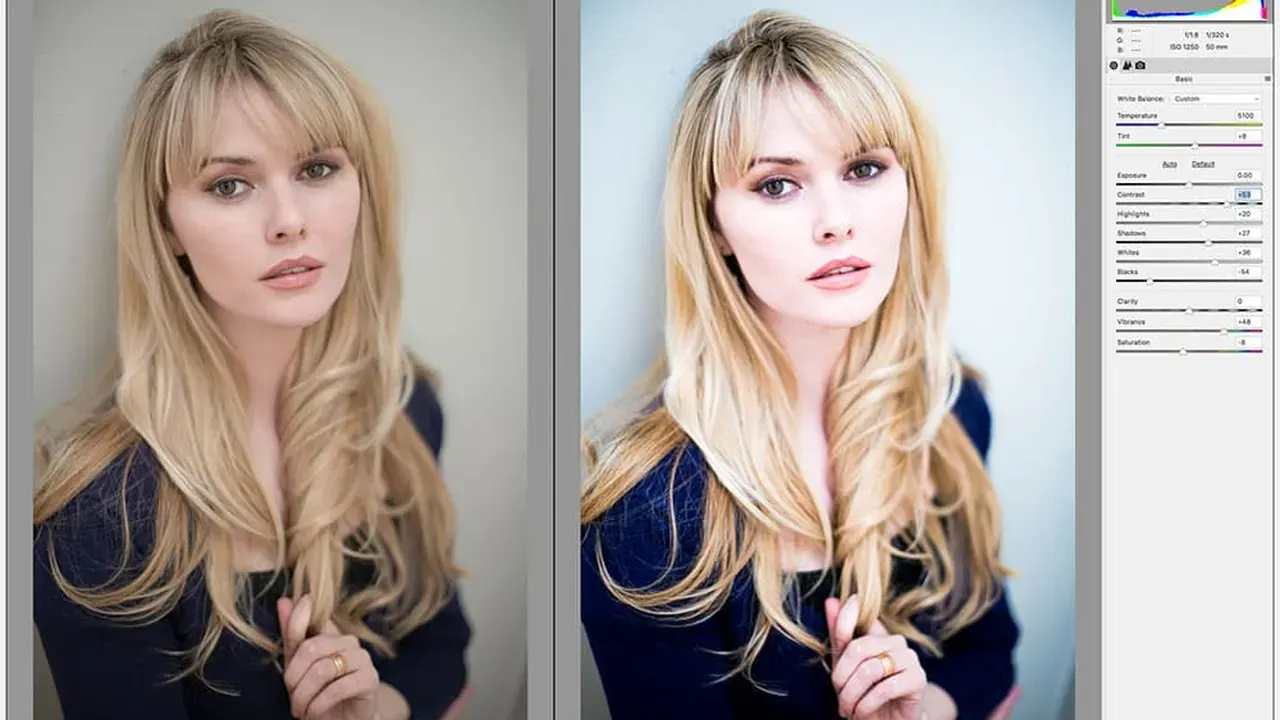
A JPEG is a finished decision: the camera picked contrast, colour and sharpening, then deleted the rest of the light. A RAW file keeps nearly everything the sensor saw. The Skylum Luminar for Android RAW bench exists for that headroom, letting you pull a sky back from white and open shadows that a JPEG editor can only paint grey.
The cost is real: bigger files, slower renders. The payoff shows in exactly the photos that matter, the ones shot in hard light.
The Develop Order That Works
Start with white balance, because colour judgement is impossible under a cast. Then exposure, then highlights and shadows, and only then contrast and curves. Photographers who reverse that order chase their own tail for twenty minutes.
Curves are where a developed file gets its character. A gentle S-curve adds depth without crushing the shadow detail you just rescued. The EnhanceAI: The One-Slider Edit, Done Properly shows how a single AI pass can then finish what the manual bench started.
Detail, Noise and Big Sensors
StructureAI and the detail tools sharpen RAW files well because there is real information to sharpen. Push gently: RAW detail turns crunchy faster than JPEG detail, and a 100 percent check on the busiest part of the frame tells the truth.
High ISO files need the opposite hand: soften noise first, sharpen second. For files that will travel to a desktop, keep edits modest and let the Crop, Geometry and Auto Transform: Straighten Any Photo inform what the bigger bench will do later.
A Tablet Workflow for Travel
The practical travel setup is simple: camera files copied to a tablet in the evening, a first develop over coffee, exports sent home as insurance. The Android app adapts its layout to the larger screen, so the bench feels roomy rather than stretched.
Keep the originals untouched and export copies. RAW discipline is boring right up to the moment it saves the one photo that mattered.
Every tool in this guide lives in the app itself. The download page is where the Android file is listed, with the package and developer details to check before installing.
Quick Answers
Can a phone really develop RAW files?
Yes. Modern phones and tablets handle RAW development well. Large files from high resolution sensors take longer to render, and a tablet with a bigger screen makes the fine work easier.
What is the advantage over editing the JPEG?
A RAW file keeps highlight and shadow detail the JPEG threw away. Skies recover, shadows open, and white balance can be reset instead of patched.
Which export format suits RAW work?
TIFF keeps the most quality for further editing, full quality JPEG suits sharing, and HEIF saves space on the device.